


Technical SEO factors are the technical conditions that help search engines discover, render, understand, index, and safely serve a website’s pages. For a Bangladeshi retailer, an international SaaS company, or an agency managing several client sites, the work is not about collecting a checklist of tags; it is about removing barriers between valuable pages and the people searching for them.
What Technical SEO Factors actually include
Technical SEO is the part of search optimization concerned with a site’s crawlability, indexability, rendering, architecture, and page experience. It supports content and authority rather than replacing them. A technically perfect website with weak product information may not rank, while a technically compromised site can sometimes rank until an important template, migration, or blocking rule removes its visibility.
The practical distinction is this: technical SEO asks whether a search engine can access and process the right URL, whether it can identify that URL as the preferred version, and whether the page gives users a workable experience. Google’s SEO Starter Guide describes foundational practices such as making pages discoverable, using descriptive URLs, and helping search engines understand site content; it does not present technical SEO as a guaranteed ranking formula. Google’s SEO Starter Guide is a useful baseline for that distinction.
The five layers of a technical audit
- Access: DNS, hosting, HTTPS, server responses, robots.txt, and firewall behavior determine whether a crawler can reach a page.
- Discovery: internal links and XML sitemaps help search engines find important URLs, especially pages that are not close to the homepage.
- Processing: JavaScript, redirects, canonical signals, status codes, and rendered HTML affect how a page is interpreted.
- Index selection: search engines decide which URL versions and content they may store and show. A page being crawlable does not guarantee indexation.
- Experience and action: mobile usability, performance, accessibility, trust signals, and conversion paths determine whether organic visits can become enquiries or sales.
These layers are connected but not interchangeable. A sitemap cannot repair a page blocked by robots.txt. A canonical tag cannot make a deleted product available. Faster hosting cannot resolve thousands of near-identical faceted URLs. The first useful question is therefore not “Which technical SEO factors are missing?” but “At which stage is the search journey failing?”
Signals, controls, and outcomes
Some technical elements are direct controls: a noindex directive, a redirect, a canonical link element, or an internal link. Others are diagnostic signals: a crawl report, server log pattern, or Core Web Vitals result. The distinction matters because an audit can report a problem without proving that changing it will improve rankings.
For example, an ecommerce site may have 50,000 URLs discovered through filters but only 2,000 pages that deserve organic visibility. The solution is not automatically to make every URL indexable. It may be better to define which filtered combinations have search demand, give those pages useful content and stable URLs, and prevent low-value combinations from competing for crawl attention.
Why technical SEO matters to business performance
Technical defects become commercial problems when they affect the pages that generate revenue. A blocked category page can reduce product discovery. A redirect chain can weaken the path from an old campaign URL to a current service page. A slow checkout-adjacent template can waste qualified traffic even if the landing page ranks.
Business impact depends on affected URLs, not on the number of warnings in an audit platform. One broken international hreflang implementation may matter more than hundreds of minor HTML notices if it sends Bangladesh users to the wrong currency or language version. Conversely, a large report of duplicate title tags may have little urgency when the duplicates are deliberate variations on pages that are not intended to rank separately.
Translate a technical issue into a business question
- Identify the asset: Is the problem affecting a revenue category, product template, lead-generation page, blog, or administrative URL?
- Measure exposure: Compare affected URLs with organic clicks, impressions, conversions, indexed pages, and internal-link prominence.
- Estimate the failure mode: Are users unable to load the page, are crawlers unable to discover it, or is Google choosing another URL?
- Choose the smallest safe fix: Change one control at a time where possible, then validate redirects, indexing, templates, and analytics.
- Set a follow-up observation: Use an illustrative starting policy such as reviewing priority URLs after two to four weeks, rather than treating that period as a universal Google timeline.
This approach is especially important after a ranking loss. A traffic decline can come from a technical release, a change in demand, a manual action, a broad search-system update, tracking failure, or stronger competitors. Treating every decline as a crawl issue leads teams to change stable systems without diagnosing the cause.
Technical SEO and E-E-A-T work together
Technical SEO does not create expertise or trust, but it can prevent evidence of expertise from being hidden or misunderstood. A consultant’s service page needs accessible text, a clear author or organization context where appropriate, a stable URL, and a sensible internal path from related resources. A local business needs consistent location information and a crawlable contact route. An international company needs language and regional targeting that users can understand.
The commercial consequences often appear outside search reports:
- A medical supplier’s product pages are indexable, but unavailable stock pages remain prominent and frustrate buyers.
- A Dhaka-based service business has strong local case studies, but its location page is orphaned and receives no meaningful internal links.
- An international software company uses one generic page for several markets, making pricing, currency, support hours, and compliance information unclear.
- An agency reports ranking growth while a client’s analytics implementation loses organic conversion attribution after a template migration.
For agencies, this is why reporting should separate technical health from business outcomes. A rise in crawlable URLs is not inherently good. A reduction in errors is not a conversion. Report the technical change, the affected page set, and the business metric that should move if the diagnosis is correct.
How search engines process technical signals
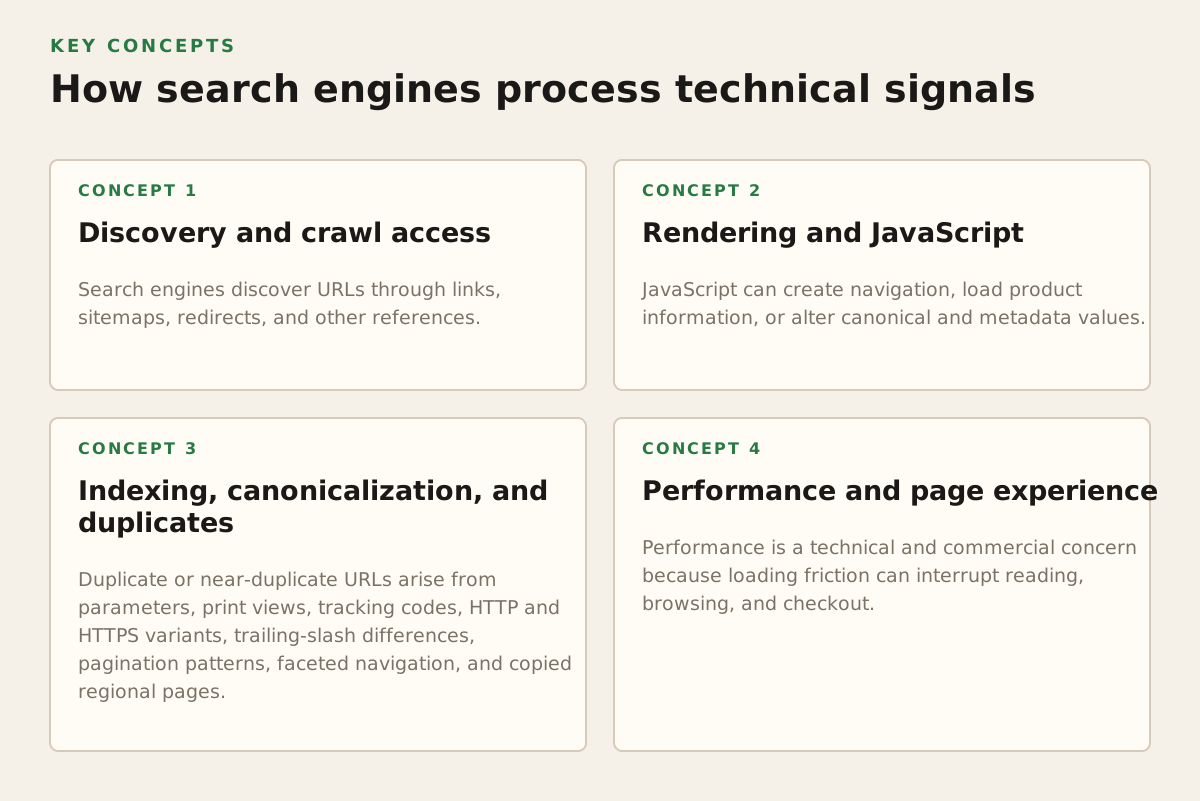
A simplified model helps practitioners decide what to inspect first: discovery, crawling, rendering, indexing, and serving. Google’s documentation explains that crawling and indexing are separate processes, and that a page can be discovered or crawled without necessarily being indexed. The official overview of Google crawling and indexing should be used when interpreting these stages.
Discovery and crawl access
Search engines discover URLs through links, sitemaps, redirects, and other references. Internal links are particularly valuable because they communicate relationships and distribute navigation paths through the site. An XML sitemap is a useful supporting inventory, but it is not a command to index every listed URL. Google’s sitemap documentation describes sitemaps as a way to help search engines discover URLs and understand update information, while noting that submission does not guarantee crawling or indexing.
Check access at several levels:
- DNS and server: Does the domain resolve consistently, and does the server return a usable response to normal requests?
- HTTP status: Do live pages return 200 responses, retired pages redirect appropriately, and missing pages return a genuine 404 or 410 where suitable?
- Robots rules: Is a valuable section accidentally disallowed? Are disallowed parameters still being linked internally?
- Authentication and rendering: Can the important content be obtained without a login, blocked script, or interaction unavailable to a crawler?
- Link paths: Can a crawler reach priority pages through ordinary HTML links rather than only through search, filters, or client-side events?
Robots.txt is often misunderstood. It controls crawling access, not guaranteed index removal. If a URL must stay out of search results, blocking its crawl may prevent a crawler from seeing a noindex instruction. Review the official robots.txt documentation before changing rules, and test the impact on both the target section and its resources.
Rendering and JavaScript
JavaScript can create navigation, load product information, or alter canonical and metadata values. That does not automatically make a site unsuitable for SEO, but it creates additional failure points. Important content should be present in rendered output in a reliable way, links should expose meaningful destinations, and application errors should not leave crawlers with empty templates.
Use a comparison between the raw server response and the rendered page. If the server returns a product title, price, description, and links but the rendered page removes them, investigate the application. If the raw response contains only a shell and the rendered output supplies all meaningful content, validate that the rendering process works consistently for critical templates and does not depend on a user gesture.
Indexing, canonicalization, and duplicates
Duplicate or near-duplicate URLs arise from parameters, print views, tracking codes, HTTP and HTTPS variants, trailing-slash differences, pagination patterns, faceted navigation, and copied regional pages. Canonicalization helps indicate a preferred URL, but it is a signal rather than an absolute command. Google’s guidance on consolidating duplicate URLs explains that redirects, rel=”canonical”, sitemaps, and internal links can work together, while inconsistent signals can produce a different selected URL.
A practical canonical review asks:
- Does the canonical URL return a successful response?
- Does it contain substantially equivalent content?
- Does it point across language or country versions without a valid reason?
- Do internal links, sitemap entries, redirects, and canonical tags agree?
- Would a user benefit from the alternate URL, or is it merely a technical duplicate?
Do not canonicalize pages simply because they have low traffic. A low-traffic page may target a distinct query, support a local market, or be new. First determine whether it is redundant, thin, unavailable, commercially obsolete, or merely under-promoted.
Performance and page experience
Performance is a technical and commercial concern because loading friction can interrupt reading, browsing, and checkout. Google’s current Core Web Vitals guidance describes three user-experience measurements: Largest Contentful Paint for loading, Interaction to Next Paint for responsiveness, and Cumulative Layout Shift for visual stability. See the official web.dev guidance on Web Vitals for definitions and measurement context.
Measure performance by template and device rather than relying only on a homepage test. A product detail page with a large image carousel may behave differently from a lightweight article. A Bangladeshi audience using mobile networks may experience a different bottleneck from an office user on a fast connection. Look for:
- Oversized hero images and product media.
- Third-party scripts that delay interaction or add layout shifts.
- Unused JavaScript and CSS loaded site-wide.
- Slow server response caused by database queries, hosting, or cache misses.
- Fonts and promotional banners that move content after the first paint.
Performance work should have a defined trade-off. Removing a recommendation widget may improve responsiveness but reduce product discovery. Compressing an image may help loading but damage visual quality. The right decision compares the cost of the feature with the value of the experience it supports.
Where technical SEO programs break
Most serious failures are not caused by one missing tag. They come from conflicting systems, unclear ownership, or changes made without a representative test set. A site can pass a crawler audit and still hide its important pages behind weak architecture or a broken deployment process.
Migration and redesign failures
During a migration, teams commonly change URL structures, templates, content, analytics, redirects, internal links, and hosting at the same time. That makes diagnosis difficult. Create a migration inventory before launch containing old URLs, proposed destinations, status, traffic, backlinks, page type, and business owner.
At minimum, validate these groups before and after release:
- Top organic landing pages.
- Pages with valuable backlinks or referral traffic.
- Revenue-driving categories, products, and service pages.
- Representative blog, location, author, and support templates.
- URLs that should disappear, redirect, or remain intentionally non-indexable.
A redirect map should lead users and crawlers to the closest relevant replacement, not send every old URL to the homepage. If there is no genuine replacement, a clear 404 may be more honest than a misleading redirect. After launch, inspect redirect chains, canonical targets, internal links, XML sitemaps, structured data, analytics, and Search Console reports.
Faceted navigation and crawl waste
Filters are useful for shoppers but can generate combinations with no distinct search value. Colour, size, brand, material, sorting, availability, and tracking parameters can multiply URLs quickly. The decision should be based on demand and usefulness: keep indexable pages when a combination deserves a unique landing experience; otherwise, avoid creating a large crawlable universe of thin variations.
For an illustrative ecommerce policy, a furniture store might deliberately support indexable pages for “office chairs” and “mesh office chairs,” while leaving arbitrary combinations such as “mesh + blue + sort by price” out of the indexable architecture. That is an example policy, not a universal rule. The actual choice depends on search demand, inventory stability, content uniqueness, internal links, and conversion value.
International and multilingual mistakes
International SEO fails when regional pages are translated mechanically, country versions contradict each other, or users are redirected based on location without a clear alternative. Language targeting should help search engines understand relationships, but it cannot compensate for pages that offer no meaningful local value.
Review:
- Language and country codes used consistently across regional URLs.
- Reciprocal references between alternate versions where the implementation requires them.
- Currency, shipping, contact details, legal information, and availability for each market.
- Canonical tags that do not incorrectly collapse distinct regional pages.
- Internal links that allow users to switch markets without being trapped by automatic redirects.
Security, access, and operational ownership
HTTPS, access controls, content management permissions, and deployment safeguards are not merely engineering concerns. A compromised site can inject spam, redirect users, or alter visible content. An over-restrictive security rule can block crawlers, scripts, images, or verification tools. SEO teams should not prescribe security changes in isolation; they should document the required crawler and user behavior for the engineering or security owner to implement safely.
Assign an owner to each recurring control. Developers may own status codes and rendering, content teams may own internal links and templates, infrastructure teams may own uptime and caching, and marketing may own measurement. Without ownership, an audit becomes a backlog of observations rather than a system that stays healthy.
How practitioners apply Technical SEO Factors
A useful technical SEO program is prioritized, testable, and connected to the organization’s publishing and development cycle. It should serve a small business with limited resources as well as an agency managing multiple sites. Begin with a baseline, establish the important URL groups, then fix the highest-risk barriers before polishing low-impact details.
Build a decision-led audit
Start with the questions that could change a business decision:
- Which valuable pages are not indexed or are represented by the wrong URL?
- Which templates create errors at scale?
- Which sections are blocked, orphaned, slow, or dependent on fragile rendering?
- Which pages receive organic visits but fail to produce enquiries or sales?
- What changed immediately before the ranking or conversion decline?
Combine several sources instead of trusting one crawler:
- Search Console coverage, performance, and inspection data.
- A controlled crawl of representative and discovered URLs.
- XML sitemap comparisons against canonical and indexable URL sets.
- Analytics landing pages, conversion paths, and revenue or lead data.
- Server logs where available, especially for large sites or crawl-budget questions.
- PageSpeed Insights or field data for template-level performance patterns.
For internal architecture, an internal link opportunity tool can help identify related pages that lack useful contextual links. Treat suggestions as candidates for editorial review: a link should clarify the user journey, not exist solely to increase a numerical link count.
Use illustrative priority scoring
Teams need a repeatable way to choose between competing fixes. One illustrative starting model is to score each issue from 1 to 5 for affected business value, number of important URLs, likelihood of blocking discovery or conversion, implementation confidence, and effort. This is a planning device, not a Google benchmark.
| Issue | Illustrative evidence | Suggested priority logic |
|---|---|---|
| Category pages return 404 | 12 revenue categories affected | Urgent: direct availability failure on commercial URLs |
| Canonical points to an unrelated page | One product template across 800 URLs | High: investigate template logic and selected URLs |
| Large images slow product pages | Mobile users experience delayed content | High if conversion pages are affected; test image and script changes |
| Duplicate meta descriptions | Many pages have similar templates | Contextual: resolve where snippets, differentiation, or page purpose suffer |
For title tags and descriptions, inspect relevance and clarity before chasing a character count. If a team wants a quick display-length review, the meta description length checker can support that check, but it should not replace writing a useful result for the query and page.
Validate changes safely
Make changes in a controlled sequence when possible. If a site simultaneously changes canonical tags, redirects, content, navigation, and rendering, a later ranking movement will be hard to attribute. Use a test environment for template logic, but remember that staging protections and production behavior may differ.
A practical validation sequence is:
- Check the HTTP response and redirect destination.
- Inspect rendered content, links, canonicals, robots directives, and structured data.
- Confirm the page is included or excluded from the intended sitemap and internal-link path.
- Test mobile layout, key interactions, forms, and conversion tracking.
- Compare a sample of changed URLs with unaffected controls.
- Document the release date, affected templates, expected result, and rollback condition.
Structured data deserves the same discipline. It can help search engines understand entities and page content, but it must accurately represent what users can see and should not be added merely to chase a rich result. Review Google’s structured data introduction and validate markup against the page’s actual content, especially for products, reviews, articles, and local business information.
Turn the audit into an operating system
After the urgent fixes, add technical checks to normal workflows. A release checklist might test indexability, canonical behavior, links, status codes, structured data, mobile layout, performance, analytics, and sitemap changes. A content workflow can require a clear primary URL, a related internal-link plan, and a decision about whether the page should rank independently.
For a small business, a monthly review of priority templates and Search Console changes may be a sensible illustrative starting policy. For a large ecommerce site, automated monitoring and release-level testing may be justified. The correct cadence depends on publishing frequency, engineering change volume, URL scale, and the cost of failure.
When investigating a ranking loss, preserve evidence before changing the site. Compare dates in analytics and Search Console, inspect deployment history, check manual-action and security notices, review affected query and page groups, and test whether the decline is site-wide or limited to a template, country, device, or topic. Fix confirmed technical causes first, then address content quality, intent, authority, and competition where the evidence points there.
For a business that needs an impartial technical roadmap, content strategy, local SEO, analytics, or recovery support, Mr Haq can help connect the audit to rankings and conversions rather than producing an isolated error list. Explore Mr Haq when the site needs prioritized SEO consulting and a practical implementation plan.
Authored with NotFair SEO