
The most useful content strategy examples connect a specific audience need to a business outcome: a local service company can build useful area and service pages, while an ecommerce brand can pair category pages with buying guides. Choose a model by asking what customers need before they act, what your site can credibly answer, and which page should drive the next step. The examples below show how to adapt those patterns without publishing pages just to target more keywords.
This is a practical guide for business owners, ecommerce teams, international marketers, and agencies deciding what to publish or fix next. The aim is not a bigger editorial calendar; it is a clear path from search need to useful page to measurable action.
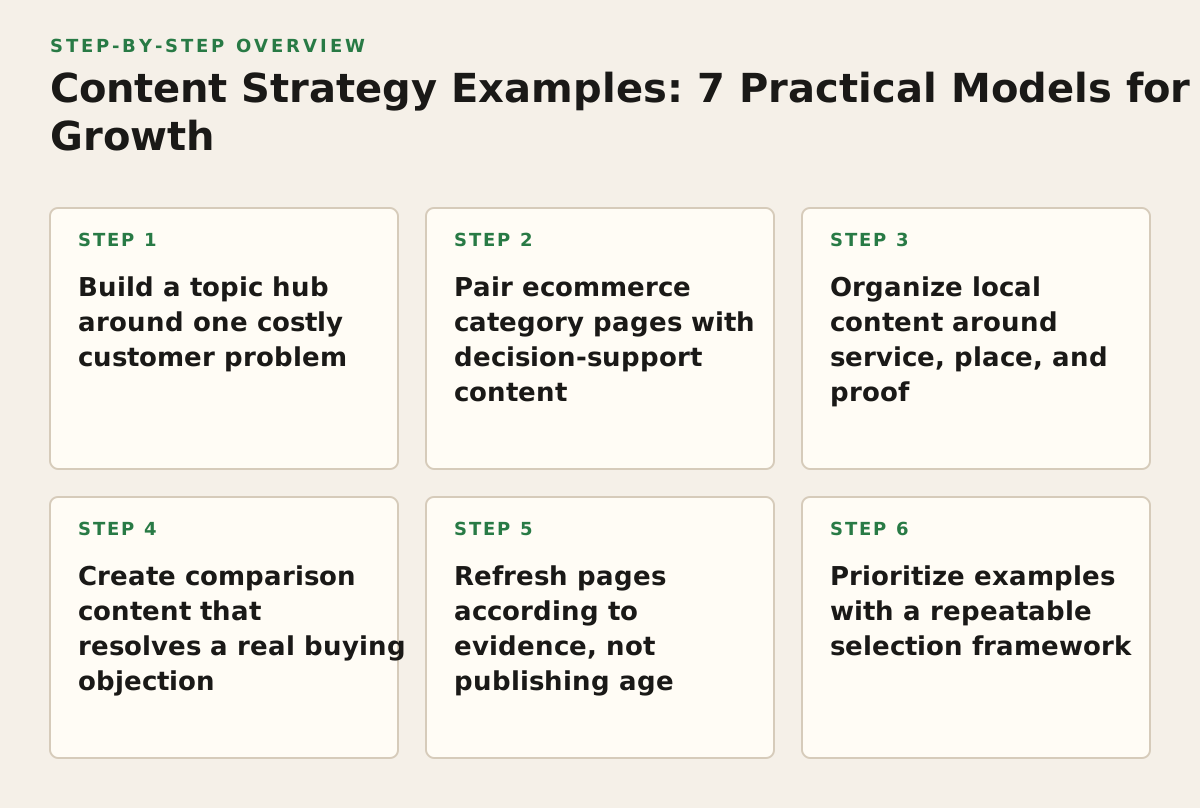
1. Build a topic hub around one costly customer problem
Use this model when customers need several answers before they can choose a service or product, and your site has the expertise to cover those questions. It suits B2B companies, specialist consultants, and complex services where a single landing page cannot resolve every objection.
Example: a payroll provider serving businesses in Bangladesh
Instead of publishing disconnected posts about payroll, create a central payroll service page supported by practical pages on payroll compliance, employee onboarding, payslip errors, and choosing a provider. Each supporting page answers one distinct question and points to the service page when that next step makes sense.
- What it demonstrates: a connected set of pages can address different stages of a decision without making every page a sales pitch.
- Why it works: readers can move from understanding a problem to comparing approaches, while search engines can discover relevant pages through meaningful internal links.
- Adapt it: list the questions your sales or support team hears repeatedly, then assign each question to the most suitable existing page or a proposed new page.
Google advises creating helpful, reliable content for people rather than making pages primarily to attract search visits; use that principle as a quality check before expanding a topic hub (Google’s guidance on creating helpful content). A common failure is producing several near-identical posts that target slightly different wording. If two drafts would answer the same reader in the same way, combine them or give each a genuinely different job.
2. Pair ecommerce category pages with decision-support content
Use this model when shoppers need help narrowing a product choice, understanding fit, or comparing options. It is especially useful when a category page lists products but leaves shoppers with unanswered questions about use, compatibility, or selection.
Example: a Dhaka retailer selling air conditioners
A category page can organize models by relevant attributes, while a separate guide explains how to choose a unit for a room, what installation involves, and which specifications matter. Link the guide to the relevant category and products; link back to the guide where shoppers are likely to need help. The guide supports the shopping decision, but it should not replace the category page’s role as the place to browse products.
- What it demonstrates: informational content can support commercial pages without pretending to be a product listing.
- Why it works: the guide answers decision questions, while the category page gives shoppers a direct route to available products.
- Adapt it: interview sales staff about questions that delay a purchase, then build a guide around the questions that apply to multiple products.
Shopify’s SEO overview describes the role of page titles, descriptions, and other search basics for online stores; use its guidance to check that useful supporting content does not distract from clear product and category pages (Shopify’s SEO overview). Google also documents product structured data as a way to make product information eligible for supported search appearances—not as a guarantee of a particular display (Google’s product structured data documentation).
Failure mode: publishing a generic buying guide that could describe any retailer’s products. Make the advice specific to the actual assortment, available specifications, delivery area, and customer questions. If a claim cannot be verified from the product information or a qualified source, leave it out.
3. Organize local content around service, place, and proof
Use this model when a business serves customers in defined locations and has real local relevance to demonstrate. It can help a clinic, repair company, or multi-location retailer explain what it does, where it operates, and what a local customer can expect.
Example: a repair company serving several Dhaka neighborhoods
Start with a strong repair-services page that describes the work, process, and booking options. Add a neighborhood page only when the business can include useful, location-specific information—such as service coverage, access details, or a genuine local case example. A page that merely swaps one neighborhood name for another gives customers little reason to visit.
- What it demonstrates: local pages should represent real service availability, not just a list of place names.
- Why it works: the page helps a customer assess whether the business is relevant and able to serve them.
- Adapt it: document the actual coverage area, address or appointment process, local proof, and the next step for each location.
Google describes local results in terms of relevance, distance, and prominence, so location content should support accurate business information and a clear match to the search—not promise a ranking outcome (Google’s explanation of local ranking). For companies targeting Bangladesh and other countries, make the intended market clear through accurate location details, language choices, and service coverage. Do not create a country or city page unless the offer genuinely applies there.
Failure mode: scaling doorway-style pages with thin, interchangeable copy. If you cannot explain what a customer in that place needs to know that a customer elsewhere does not, improve the main service page instead.
4. Create comparison content that resolves a real buying objection
Use this model when customers weigh alternatives before contacting sales or purchasing. It suits software, professional services, and higher-consideration products, but only when the business can make a fair, specific comparison.
Example: an agency explaining SEO retainers versus project work
A useful comparison page might explain how each engagement type handles scope, ongoing maintenance, reporting, and changing priorities. It should also make clear who is a poor fit for each option. That gives a potential client a way to decide whether to request a proposal—or whether a one-off technical audit would be more appropriate.
- What it demonstrates: strong commercial content helps a buyer choose, even when the best choice is not the most expensive service.
- Why it works: it answers a decision-stage question with criteria the reader can apply.
- Adapt it: collect the objections that appear in sales conversations, then answer each with evidence, limitations, and a next step.
Failure mode: a comparison that presents your offer as the winner in every situation. State the trade-offs plainly. If you lack reliable information about a competitor or alternative, compare approaches or service models instead of making unsupported claims about named providers.
5. Refresh pages according to evidence, not publishing age
Use this model when a site has useful content that may be outdated, poorly connected, or no longer serving its original purpose. This is often a better first move than adding another article on a topic you already cover.
Example: an international retailer sees clicks fall on a country guide
Check whether the guide still matches the intended country, language, products, and customer journey. Then inspect its search queries and landing-page performance. The issue might be outdated product availability, an unclear next step, overlapping pages, or a search intent that has shifted; each cause requires a different fix.
Google Search Console’s Performance report lets site owners review search results performance, including clicks, impressions, and queries, which can help identify pages worth investigating (Search Console Performance report documentation). Treat that data as a diagnostic, not proof that a specific edit caused a change. Keep a record of the page, observed issue, edit, and review date so the team can judge whether the change helped.
- Refresh when the page has useful relevance but needs clearer, current information.
- Consolidate when multiple pages serve substantially the same purpose and one stronger page can answer it better.
- Retire or redirect only after checking whether the page still earns visits, links, or customer value.
Failure mode: changing a title or date while leaving outdated advice and broken paths untouched. A refresh should fix the reason the page is underperforming, not just make the page look recently edited.
6. Prioritize examples with a repeatable selection framework
Use this model when the backlog contains more plausible ideas than the team can produce. Score each candidate against audience value, business relevance, evidence, and execution effort. This makes the trade-off visible rather than letting the loudest request set the calendar.
| Decision check | Ask | Example signal | Action |
|---|---|---|---|
| Audience need | Can we name the question and who asks it? | Support repeatedly explains the same installation requirement. | Draft a customer-facing answer with a clear use case. |
| Business fit | Does answering this help a relevant customer take a sensible next step? | The answer relates to products the store carries. | Connect the page to the right category or product. |
| Evidence | Can we support the advice with expertise, records, or reliable sources? | A qualified staff member can verify the process. | Assign a reviewer before publication. |
| Distinct purpose | Does an existing page already do this job? | Two drafts answer the same comparison question. | Improve or consolidate rather than duplicate. |
| Effort and upkeep | Can the team produce and maintain this accurately? | Local details change and have no clear owner. | Choose a maintainable scope or defer publication. |
As an illustrative starting policy, label ideas “publish,” “improve existing,” or “defer” after the review rather than assigning false precision to scores. For example, a new guide may be worth producing when it answers a documented customer question, has a clear destination page, and has an identified subject-matter reviewer. If it lacks any of those, clarify the brief first.
Once a page exists, use an internal link opportunity tool to help identify relevant pages that could link to it, then manually check that each proposed link makes sense in context. For snippets, draft a specific description and review it with the meta description length checker; a length check cannot determine whether the copy accurately represents the page.
7. Turn the chosen model into a sequenced publishing plan
Use this model when a strategy has been agreed but the team needs a manageable route from idea to measurement. Sequence work by dependencies: a supporting article should not go live before its destination page and internal-link plan are ready.
- Choose one audience and job. Write a one-sentence brief naming the customer, their question, and the decision the content should help them make.
- Map the destination. Identify the service, category, location, or product page that represents the relevant next step. Check for existing pages that already address the same need.
- Gather evidence. Ask sales, support, product, or local teams for recurring questions and verified details. Assign a knowledgeable reviewer for claims that require expertise.
- Draft the page and links together. Give the content one clear purpose, then add only internal links that help the reader continue. Make the call to action appropriate to their stage, such as comparing options rather than booking immediately.
- Publish and record the baseline. Note the page’s target audience, purpose, publication or update date, and relevant Search Console observations. This creates context for a later review.
- Review and decide. Revisit the page on a schedule suited to how quickly its subject changes. Improve, consolidate, or leave it alone based on evidence and customer usefulness—not a rule that every page must be updated on a fixed cadence.
This sequence prevents a common waste: commissioning an article before the site has a useful page for readers to visit next. Mr Haq helps businesses and agencies turn these decisions into technical SEO, content, local SEO, and measurement plans; explore SEO consulting and strategy support from Mr Haq if you need help prioritizing the work.
Authored with NotFair SEO