


To improve local search optimization, make it easy for nearby customers to find accurate business information, understand which locations or service areas you serve, and take the next step. Start by defining your real service area, then align your business profile, website pages, listings, and measurement around it. This workflow gives a local service business or multi-location brand a practical way to identify gaps and prioritize fixes without treating rankings as guaranteed.
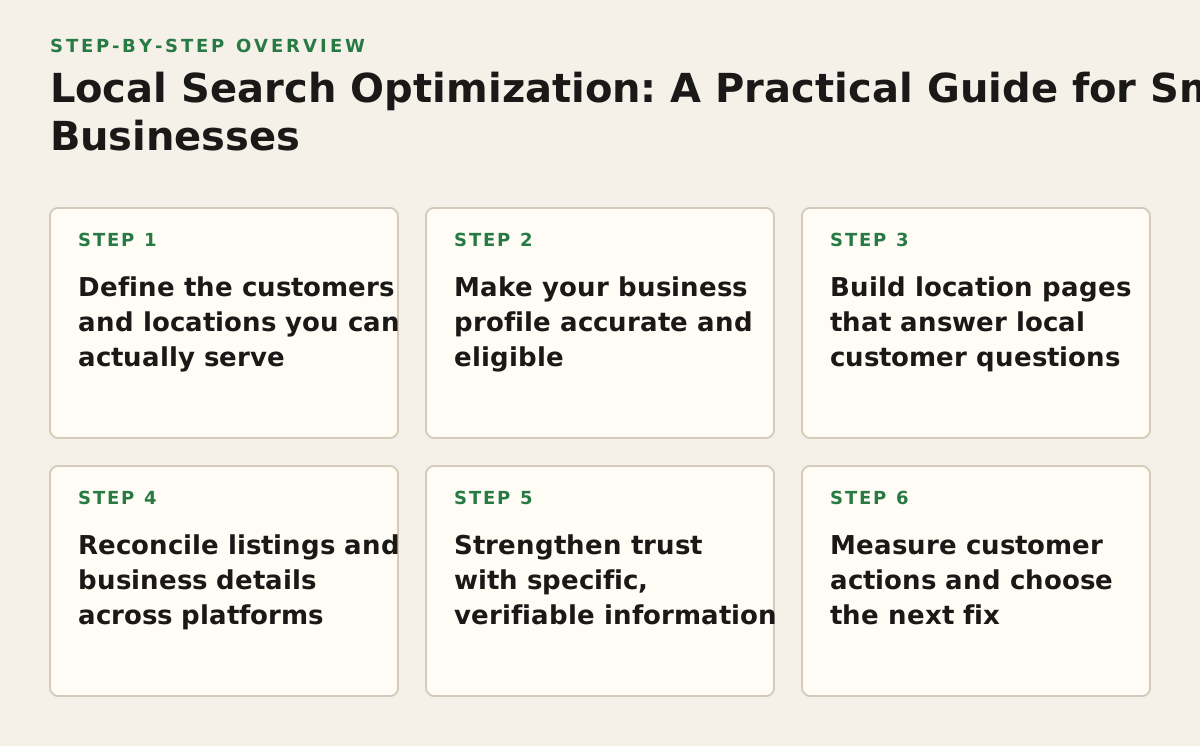
Step 1: Define the customers and locations you can actually serve
Begin with operations, not a list of cities you hope to rank in. Map where customers can visit you or where your team can deliver the service. A clinic may serve people who travel to its address; a plumber may travel to customers; an online-only store may have no eligible local storefront at all. Those differences affect which profiles and pages make sense.
Turn your service area into a useful page plan
Write down your staffed locations, service boundaries, and the services available in each area. Do not create a page for every neighborhood just because it has a distinct name. A page needs useful, accurate information that helps a customer decide whether to contact you—not just a location phrase swapped into a template.
- Storefront businesses: identify the address customers can visit and the services available there.
- Service-area businesses: record where staff can genuinely travel and whether customers are served at your address.
- Multi-location businesses: connect each public location to its own staff, services, contact details, and local page.
- E-commerce brands: distinguish local pickup or in-person service from shipping. Do not imply a local presence that customers cannot use.
For a business serving Dhaka and nearby areas, for example, separate a genuine service boundary from a broad list of city names. If the team only accepts appointments at one location, make that clear rather than suggesting it has branches throughout the city. This decision prevents misleading profile details and thin location pages later.
Step 2: Make your business profile accurate and eligible
Audit the profile on the platform where local customers are most likely to look first. For Google, check that the business name, address or service area, phone number, hours, categories, and website destination describe the real operation. Google explains that local results are influenced by relevance, distance, and prominence; complete, accurate information helps the system understand the business, but no profile change can guarantee a particular position (Google’s explanation of local ranking).
Fix eligibility and representation before adding content
Follow the platform’s rules for representing the business. Google’s guidance covers business names, locations, and service-area businesses, including when an address should be shown or hidden (Google Business Profile representation guidelines). If your company is online-only, do not create a storefront profile simply to target local searches; check eligibility first.
- Use the business name customers encounter in the real world, not a string of keywords.
- Choose categories that describe the primary operation, then add relevant secondary categories only when they fit.
- Verify hours, holiday schedules, phone routing, and landing-page links with the people who manage the location.
- Remove or correct duplicate, moved, or closed profiles through the platform’s available process.
Accuracy outranks profile decoration. A polished description cannot compensate for a wrong phone number or a location that customers cannot visit. If your team changes hours frequently, assign a named owner to confirm them before each seasonal or operational change.
Step 3: Build location pages that answer local customer questions
Give each important, real location or service area a page that supports a decision. Include what the business does there, who it serves, how to contact it, and what a customer should expect next. A page can also explain parking, appointment requirements, delivery boundaries, local availability, or language support when those details are true and useful.
Use evidence and clear page relationships
For a multi-location business, avoid publishing near-identical pages that differ only by city name. Add location-specific proof such as the team serving that branch, services available there, a real address, or locally relevant instructions. If one central page already answers the customer’s question, a separate page may not be necessary.
Where appropriate, add LocalBusiness structured data to help search engines interpret details about a business location. Google documents the supported LocalBusiness data and required properties, while Schema.org defines the vocabulary; structured data must reflect visible, accurate page content and does not guarantee a special search result (Google’s LocalBusiness structured data documentation; Schema.org’s LocalBusiness type).
Connect each profile to the most relevant page, not automatically to the homepage. An appointment-based location should usually send a searcher to its location or booking information, while a service-area business may need a page that explains coverage and how to request service. Use the internal link opportunity tool to identify useful paths from related service content to your location pages.
Step 4: Reconcile listings and business details across platforms
Customers may encounter your business in search engines, maps, directories, and industry-specific listings. Keep the core facts consistent: public name, address where applicable, phone, website, and operating status. Consistency is a practical customer-service safeguard: conflicting hours or phone numbers can send a ready-to-contact customer to the wrong place.
Make a simple source-of-truth record before editing listings. Assign someone to maintain it when a branch moves, a number changes, or the business name is updated. For additional coverage, decide whether managing a listing on another platform fits your audience and operating capacity; Bing Places is one official route for managing business information for Bing.
| Business detail | Where to verify it | What to do when it conflicts |
|---|---|---|
| Name and operating status | Business owner or location manager | Confirm the real-world name and whether the location is open, moved, or closed before changing listings. |
| Address or service area | Operations team | Show only customer-facing locations and service boundaries the team can actually support. |
| Phone and website | Sales or reception team | Test the number and page destination, then update the source-of-truth record and relevant listings. |
| Hours and services | Location manager | Resolve differences with the people delivering the service; update temporary hours where the platform permits. |
Do not treat every directory as equally valuable. Prioritize platforms customers in your market use and listings your team can keep accurate. For a company targeting Bangladesh and international markets, verify local contact conventions and language on each customer-facing page; do not assume that a translated name or address format is interchangeable across markets.
Step 5: Strengthen trust with specific, verifiable information
Local visibility is more useful when the page and profile give customers reasons to trust the business. Show who provides the service, explain relevant qualifications or processes, and make policies easy to find. For a clinic, that could mean clear appointment instructions and clinician information; for a retailer, it may mean accurate pickup, returns, and stock-contact guidance.
- Ask customers for honest feedback through a consistent, non-coercive process.
- Respond to reviews with relevant details while avoiding private customer information.
- Keep photos, service descriptions, and staff details current and representative of the actual business.
- Link to supporting service information so customers can verify claims before contacting you.
Reviews and profile activity should not become a substitute for fixing service problems. If feedback repeatedly mentions unanswered calls, confusing directions, or unavailable services, route that pattern to the responsible team and correct the underlying issue. Trust is built through consistency between the promise and the experience, not by adding promotional wording to every page.
Step 6: Measure customer actions and choose the next fix
Track whether the work helps the right customers reach useful pages and contact the business. In Search Console, compare queries and pages using clicks, impressions, and position; the report also lets you filter and compare performance data (Google Search Console Performance report documentation). Pair that search data with your own lead records, call tracking where appropriate, booking data, or store questions so that visibility is not mistaken for business impact.
Worked example: a Dhaka appliance repair business
Suppose the business has one workshop and sends technicians to selected neighborhoods. The owner first confirms which repairs are available at the workshop and where technicians actually travel. They correct the profile’s hours and contact details, link it to a page explaining workshop visits and service coverage, and remove wording that implies a second branch. They then compare Search Console queries and relevant landing pages with incoming repair enquiries. If impressions rise for areas the team does not serve, the next fix is clearer coverage information—not a page for every neighborhood.
As an illustrative starting policy, review the profile, important landing pages, and lead records monthly. Adjust that cadence if seasonal demand, frequent operating changes, or very low search volume makes monthly comparisons misleading. Likewise, if a page receives visibility but few useful enquiries, inspect intent match, contact steps, and service availability before producing more pages. The meta description length checker can help review snippets, but prioritize an accurate, compelling description over hitting a character target.
Start by auditing one real location
Your first action is to choose the location or service area that matters most to revenue and verify its real-world name, eligibility, address or coverage, hours, phone, and destination page with the person responsible for operations. Record each mismatch, fix the facts before expanding the page plan, and then use the resulting baseline to decide what to improve next.
Mr Haq helps businesses plan and implement local SEO alongside technical SEO, content strategy, analytics, and related organic-growth work. If you need an outside review of your priorities, explore how Mr Haq.
Authored with NotFair SEO