

An seo checklist for new website should help you decide what must be ready before launch and what can wait. Start by mapping the pages to real customer needs, then check that search engines can crawl and index the right URLs, each important page offers useful information, and measurement is in place. This guide gives small businesses, ecommerce teams and agencies a practical sequence for making those decisions without treating every SEO task as a launch blocker.
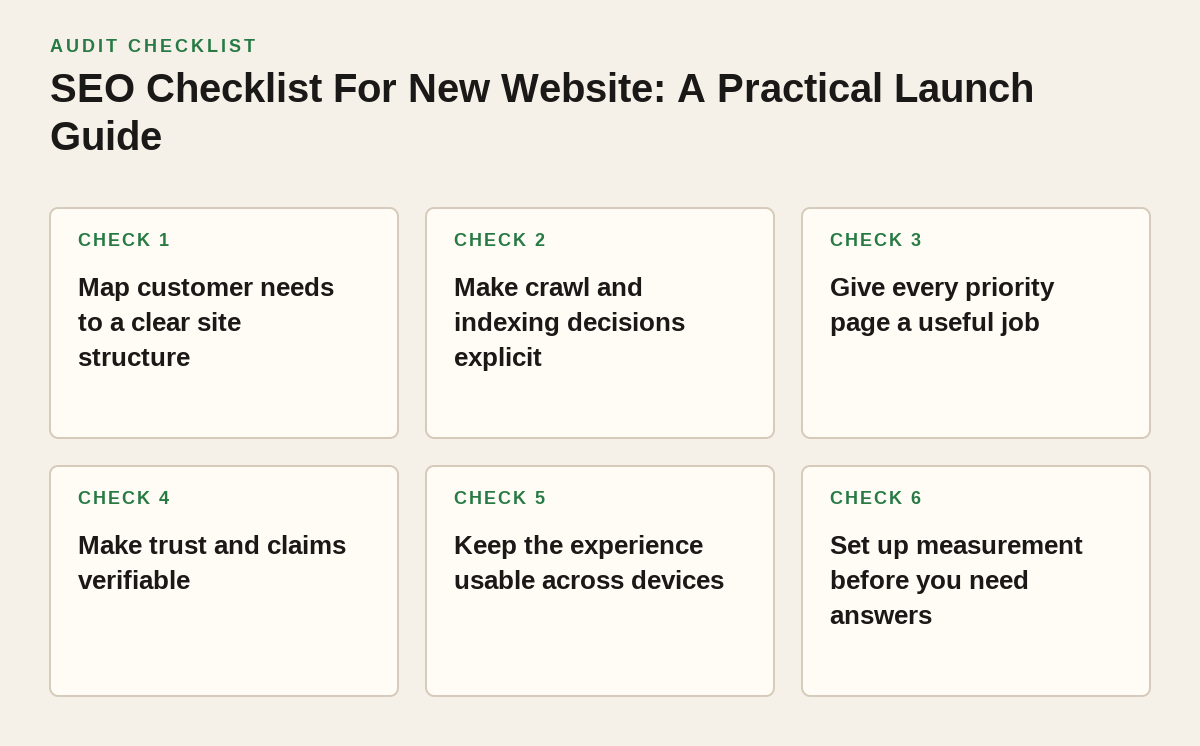
1. Map customer needs to a clear site structure
This applies before design and development are locked. A site structure is more than a menu: it determines which topics have dedicated pages, how visitors move between them and which URLs deserve to be discovered. Planning it early is usually easier than trying to retrofit a coherent set of pages after launch.
Start with the choices your business wants a visitor to make. A service business might need separate pages for distinct services and locations it genuinely serves. An ecommerce store may need category pages that help people compare product groups, plus product pages with the details needed to choose. These are examples, not proof that a particular business offers those services or ships to those places.
Turn search needs into pages
- List the products, services, categories or questions that matter to the business.
- Group closely related needs when one page can answer them clearly; separate them when the reader needs a different offer, evidence or action.
- Give each planned page a primary purpose, an intended visitor and a next step.
- Record the proposed URL and the pages that should link to it.
Why it works: a page plan connects search intent to a useful destination instead of creating URLs just to target slight keyword variations. Google’s SEO Starter Guide recommends organizing a site logically and creating helpful, people-first content.
Failure mode: making a separate page for every keyword variation can produce near-duplicates that compete for the same need. As an illustrative example, a company could combine several closely related questions into one thorough service page, while keeping a genuinely different service on its own page.
2. Make crawl and indexing decisions explicit
Use this check when a new site has staging URLs, filters, search results, multiple language versions or a platform that generates URLs automatically. Search engines need to be able to access the pages you want considered, and they need clear signals about which versions belong in search. A successful crawl does not guarantee indexing, so treat access and indexing as separate checks.
Check the paths to important pages
- Confirm that important pages return a successful response and are reachable through ordinary links, not only through a site search box.
- Inspect the robots.txt file for rules that could block pages or resources needed to understand them.
- Use a sitemap to list canonical URLs you want search engines to discover; do not include staging URLs or pages you do not want indexed.
- Check that each important page has an appropriate canonical URL and that internal links point to the preferred version.
Google explains that robots.txt controls crawling rather than reliably removing a URL from search, so it should not be used as a substitute for an indexing directive; see its robots.txt guidance. Its sitemap documentation also makes clear that submitting a sitemap is a discovery hint, not a guarantee that its URLs will be crawled or indexed.
Why it works: you reduce avoidable ambiguity between public pages, duplicate versions and URLs intended only for internal use. Failure mode: launching with a staging-wide “noindex” setting or disallow rule still active can hide intended pages from search systems. In a pre-launch review, check representative page source and response headers, then recheck the live site after release.
3. Give every priority page a useful job
This applies to landing pages, product and category pages, and the first set of articles you plan to publish. A page should answer a specific visitor need better than a generic placeholder can. Google’s guidance on helpful, reliable, people-first content is a useful standard: write for the people who need the page, not just for a phrase you want to rank for.
Build the page around a decision
For each priority URL, write a one-sentence brief: “After reading this page, the visitor should understand ___ and be able to ___.” Then include the information required for that decision. A product page may need accurate specifications, compatibility details and clear limitations. A service page may need a precise description of scope, process, intended customers and evidence that supports its claims.
Use a distinctive title and main heading that describe the page plainly. Write a concise meta description that summarizes what a searcher will find; it can help set expectations in search results, but search engines may choose different snippet text. Mr Haq’s meta description length checker can help review description length; length alone does not make a snippet useful.
Why it works: a focused page helps a visitor assess relevance and take an informed next step. Failure mode: copying a manufacturer description or repeating broad marketing claims leaves little reason for a shopper to choose your page. For example, add the actual dimensions, use conditions, return information or product limitations that the business can verify, rather than padding the page with repeated keyword phrases.
4. Make trust and claims verifiable
Prioritize this on pages where a visitor is being asked to spend money, share information or rely on consequential advice. Trust is not a badge you can add to a footer; it comes from making important claims specific and giving readers a way to assess them. Google’s people-first content guidance encourages clear authorship and information about how content was created where readers would expect it.
- Identify the business or person responsible for the page and provide a clear route to contact or support information appropriate to the business.
- Attribute expert advice to a real author when there is a verifiable author, and describe relevant experience accurately.
- Support claims with evidence the business can substantiate, such as product documentation, policies, original research or named case details with permission.
- Correct outdated claims and disclose meaningful limits, exceptions or conditions.
Why it works: readers can distinguish a substantiated claim from a slogan and make a better-informed choice. Failure mode: adding generic “expert” language or invented credentials creates a credibility problem rather than solving one. If no verifiable evidence supports a claim, narrow or remove it. For an agency publishing client case studies, get approval and check every result, date and attribution before publication.
5. Keep the experience usable across devices
Check this before launch and whenever a redesign, theme or major feature changes the page. Visitors should be able to read, navigate and complete the page’s intended action on the devices they use. Performance matters as part of that experience, but a score is not a substitute for testing whether the real page works.
Google describes page experience as a set of factors rather than one ranking signal that guarantees a particular result. Its page experience guidance discusses Core Web Vitals alongside other aspects of usability. For definitions and measurement context, see web.dev’s Web Vitals overview.
Test representative templates, not just the homepage
- Open key page types on a phone-sized screen and check text, menus, forms, filters and purchase or enquiry flows.
- Look for layout shifts, blocked content, oversized media and scripts that delay the main interaction.
- Check keyboard navigation and visible focus on important controls; make sure error messages explain what needs fixing.
- Repeat checks on a product detail page, a category or service page, and any template with a form or interactive feature.
Why it works: template-level checks expose problems that a polished homepage review can miss. Failure mode: chasing a lab score by removing useful content or functionality can make the page less helpful. As an illustrative example, compress an unnecessarily large image and retest the actual product page before removing product imagery that helps shoppers assess the item.
6. Set up measurement before you need answers
Measurement applies to businesses that need to distinguish search visibility from outcomes such as enquiries, purchases or qualified leads. Before launch, decide what counts as a meaningful action and who will review the data. Google Search Console can show how a site performs in Google Search and help surface indexing issues; its site verification instructions explain how to establish ownership.
Why it works: a baseline lets a team investigate changes with evidence instead of relying on memory or a single ranking check. Search impressions and clicks describe search activity; they do not, by themselves, tell you whether an enquiry was qualified or a sale was profitable. Connect the reporting question to the business outcome that matters.
Failure mode: installing a tag but never checking whether important actions are recorded. Before launch, test a form submission or purchase path in the relevant analytics setup, and confirm that the event is not counted repeatedly from one action. If analytics implementation is not yet verified, label the data as incomplete rather than treating a missing conversion as proof that no one converted.
For a simple reporting plan, record:
- Which pages and customer actions matter most.
- Which platform or report will be used to review each question.
- Who owns the check and how often the team will review it.
- Known limitations, such as consent settings, test traffic or an unverified event.
7. Use internal links to guide people and discovery
Internal linking matters as soon as a site has more than a small set of related pages. Links help visitors move to the next useful explanation or action, and they give crawlers paths between URLs. Google’s SEO Starter Guide recommends using descriptive anchor text so people and search systems can understand what a linked page is about.
Why it works: a relevant link connects a page that introduces a need to the page that answers it. For example, a category page can link to a buying guide, and that guide can link to the relevant products without forcing every page into the main menu. Failure mode: adding links only to chase exact-match phrases creates awkward navigation and can obscure the link’s purpose.
Review links by asking whether they help someone complete a task: can a visitor reach key pages from a relevant page, and can they tell what the destination offers before clicking? Mr Haq’s internal link opportunity tool is an owned resource for exploring internal-link opportunities; review any suggested link in context before adding it.
Implement the checklist in launch order
Use this sequence to separate foundational work from improvements that can follow. Adjust it to the site’s platform and business model; it is a working order, not a guarantee that every site needs identical tasks.
| Order | Decision or check | Evidence to keep |
|---|---|---|
| Plan | Are the priority pages mapped to distinct customer needs? | Page inventory, purpose and proposed URL for each page. |
| Build | Can visitors and crawlers reach the intended pages? | Live URL checks, crawl rules, canonical review and sitemap review. |
| Prepare | Does each priority page help a visitor make a decision? | Content brief, verified claims, title and snippet review. |
| Test | Do key templates work on mobile and in important user flows? | Completed device and form or purchase-path checks. |
| Measure | Can the team distinguish search activity from business outcomes? | Verified ownership, tested events and a named reporting owner. |
| Recheck | Did launch settings, redirects or tracking change the intended result? | Post-release crawl, indexability and measurement review. |
- Before development: agree on the page inventory, URL structure and intended visitor action for each priority page.
- Before release: review content and claims, check crawl and indexing controls, test representative templates and verify measurement.
- At release: confirm the live site uses the intended URLs and that important pages are reachable; submit the sitemap through the appropriate search tools if applicable.
- After release: review crawl and indexing signals, test key actions again, and fix confirmed launch issues before expanding the content plan.
If you want help deciding which SEO work fits your site and business priorities, Mr Haq. Share the site, target markets and the decision you need to make so the scope can be assessed against your actual needs.
Authored with NotFair SEO