


The right technical seo tool depends on the job: use a crawler to discover site-level problems, a search platform to confirm how engines see your pages, or managed consulting when your team cannot prioritize and implement the work. For a practical 2026 starting stack, pair one crawler such as Screaming Frog SEO Spider or Sitebulb with Google Search Console, then add Semrush or Ahrefs if you also need broader competitive and backlink research. If your business lacks technical SEO expertise or implementation capacity, Mr Haq provides a consulting alternative rather than another dashboard.
This comparison is for small and medium-sized businesses, ecommerce teams, international companies, agencies, and businesses investigating ranking losses or possible penalties. The products are not interchangeable: crawlers inspect a site, webmaster platforms expose search-engine data, all-in-one suites combine several workflows, and consulting supplies strategy and guidance.
How these technical SEO options were evaluated
Each option is assessed against the same buyer job: identify important organic-search problems and decide what to do next. The comparison considers four practical factors:
- Diagnostic depth: whether the option can identify crawl, indexing, on-page, performance, or authority issues.
- Evidence quality: whether findings come from a crawl, a search engine’s own data, a broad index, or professional judgment.
- Implementation burden: how much setup, technical knowledge, interpretation, and developer support are required.
- Commercial fit: whether the model is free, subscription-based, or quote-based, and whether that model matches the team’s recurring needs.
A report is not the same as a fix. A useful choice is the one that produces evidence your team can interpret and act on without paying for capabilities it will not use.
1. Screaming Frog SEO Spider
Best for controlled technical crawls
Screaming Frog SEO Spider is a desktop crawler for inspecting URLs, links, directives, titles, headings, status codes, canonicals, and other on-page signals. Its official feature page documents the breadth of its crawl and export workflow. That makes it useful when an SEO or developer needs to isolate a problem across a known site rather than rely only on a high-level health score.
For example, an ecommerce team can crawl a category template, filter URLs by status code or canonical target, export the affected pages, and give developers a reproducible issue list. It can also support audits of migrations, faceted navigation, pagination, and internal linking. The interpretation still belongs to the operator: a noindex directive is not automatically an error if it is intentional.
Fit, burden, and commercial model
- Best for: consultants, agencies, and in-house SEOs who want granular crawl controls and exportable evidence.
- Does not suit: owners who want a hosted dashboard with no desktop setup or technical interpretation.
- Standout: detailed URL-level inspection for audits and migrations.
Implementation burden: medium to high. Someone must configure crawl settings, manage resources on larger sites, understand JavaScript rendering where relevant, and turn exports into priorities. Commercial model: license-based software with current terms shown on its official pricing page; verify the present limits and license conditions before purchase. It is a strong first technical SEO tool when one practitioner owns the audit, but unnecessary if the business will never inspect or act on crawl data.
2. Sitebulb
Best for guided audit reporting
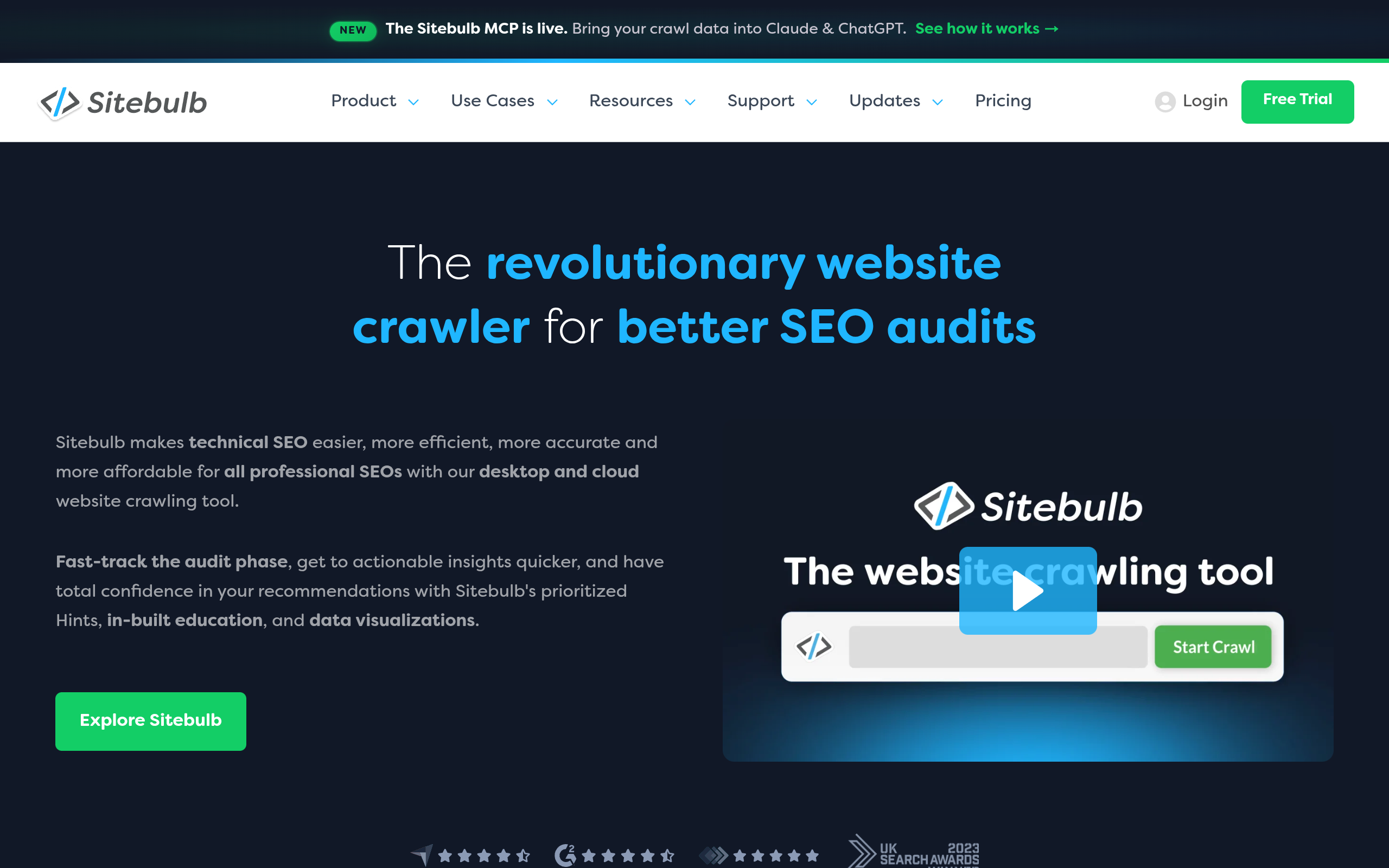
Sitebulb is a site-audit platform designed to turn crawl data into prioritized findings and visual reports. Its value is less about collecting a single isolated URL and more about helping an SEO explain relationships among issues, such as internal links, indexability, duplicate content, and page templates. The official product site should be checked for the current feature set because capabilities and packaging can change.
That presentation can help an agency brief a client or help a marketing manager decide whether a widespread template problem deserves developer time. It does not remove the need to validate recommendations against the site’s business model. A page can be technically unusual and still be intentional, especially on international or ecommerce websites.
Fit, burden, and commercial model
- Best for: teams that need an audit narrative, prioritization support, and client-friendly reporting.
- Does not suit: a developer who only needs a lightweight command-line or spreadsheet-style URL inspection.
- Standout: turning crawl findings into a more accessible decision-making workflow.
Implementation burden: medium. You still need to configure projects, connect the right data sources if available, check crawl scope, and verify recommendations. The reporting layer can reduce explanation time but cannot decide business priority for you. Commercial model: subscription software; review the current plans and limits on the official Sitebulb website before committing. Sitebulb is a sensible choice when communicating technical debt is as important as discovering it, but it may overlap with existing reporting software.
3. Semrush
Best for a broad SEO workflow
Semrush combines several SEO workflows, including site auditing, keyword research, competitor research, and backlink-related analysis. Its Site Audit documentation explains the audit function and the types of technical checks it is intended to surface. This makes it more than a narrow crawler: it can connect technical findings with the search terms, competitors, and pages a marketing team is already reviewing.
That breadth helps an international company compare country or language folders and an ecommerce brand connect crawl problems with category-page opportunities. It can also create a risk of dashboard overload. A project owner should define the decision first—for example, “which indexable product pages are losing visibility?”—then use only the relevant reports.
Fit, burden, and commercial model
- Best for: marketing teams that need technical audits alongside keyword, competitor, and authority research.
- Does not suit: a small site that needs one occasional crawl and has no use for a broader recurring platform.
- Standout: connecting technical findings with wider search-market research.
Implementation burden: medium. Project setup, recurring crawls, user access, and report interpretation require ownership; the breadth also creates a training cost. Commercial model: tiered subscription software, with current limits and pricing subject to change on Semrush’s official plans. Do not buy it solely because it has the largest-looking dashboard: choose it when the same team will consistently use multiple SEO workflows.
4. Ahrefs
Best for technical issues alongside link and competitor research
Ahrefs is an SEO platform known for backlink and competitor research that also includes site auditing. Its official Site Audit page describes its crawl-based audit workflow. For a company recovering from a visibility decline, that combination can help separate technical defects from changes in competitors, links, or content coverage.
Consider a publisher whose important pages remain indexable but have lost referring links and topical support. A crawler alone may confirm that the site is technically accessible, while a broader platform can help investigate the authority and competitor context. That does not prove causation: ranking losses still require a timeline, search-result review, and validation of recent site changes.
Fit, burden, and commercial model
- Best for: SEOs who need site auditing in the same environment as backlink and competitor analysis.
- Does not suit: teams seeking only Google-owned performance data or a free technical monitoring option.
- Standout: combining crawl investigation with link and competitive context.
Implementation burden: medium. Teams must configure projects, choose crawl scope, learn the reporting model, and distinguish useful signals from broad opportunities. Commercial model: paid subscription plans with current usage limits and pricing published by Ahrefs; verify them before purchase. Ahrefs is a better fit when authority research is a recurring job, not when technical SEO is limited to one migration checklist.
5. Google Search Console
Best for Google-specific search evidence
Google Search Console is a free Google service that reports on a site’s presence and performance in Google Search. Google’s official documentation describes reports and tools for monitoring search performance and debugging issues. It can show queries, pages, impressions, clicks, indexing-related information, and selected experience signals, making it essential evidence when a site owner is diagnosing a traffic change.
Search Console answers questions a third-party crawler cannot, such as whether impressions changed for a query group or whether Google has reported a manual action. It is not a complete crawl of every technical relationship on a large site, and its reports may not explain the root cause by themselves. Pair it with a crawler when you need both search outcomes and URL-level structure.
Fit, burden, and commercial model
- Best for: every verified site owner who needs first-party Google search performance and issue signals.
- Does not suit: teams expecting a complete competitor database, broad backlink index, or fully managed remediation.
- Standout: direct evidence from Google about a property’s search performance.
Implementation burden: low to medium. Verification, property selection, permissions, date comparisons, and careful interpretation are still required. Commercial model: free service. It is the best baseline rather than a complete technical SEO tool: use it before paying for another platform, especially when investigating a sudden ranking or traffic loss.
6. Bing Webmaster Tools
Best for Bing visibility and supplementary diagnostics
Bing Webmaster Tools provides site owners with Bing-focused webmaster features. Its official service page should be used to confirm current tools and availability. For companies targeting international markets, it supplies a second search-engine perspective and can be useful when Bing visibility matters to the customer base or when a site needs another source of crawl and indexing signals.
It should not be treated as a replacement for Google Search Console when Google is the primary source of organic traffic. Its role is complementary: compare the search engines’ views, investigate discrepancies, and avoid assuming that a Google-specific diagnosis applies identically elsewhere.
Fit, burden, and commercial model
- Best for: sites with meaningful Bing exposure or teams that want supplementary webmaster diagnostics.
- Does not suit: a Google-only workflow where the team cannot maintain another verification and reporting property.
- Standout: a free second search-engine data source for international and multi-market teams.
Implementation burden: low to medium. Verification, permissions, sitemap handling, and report interpretation add a small but recurring operational task. Commercial model: free webmaster service. Add it when Bing is commercially relevant or when cross-engine comparison can change a decision; do not add it merely to collect another unused dashboard.
7. Mr Haq

Best for strategy when internal implementation capacity is limited
Mr Haq is a managed technical SEO strategy and consulting option, not software. The service is relevant to businesses that need help deciding which technical, content, local SEO, link-building, E-E-A-T, analytics, or AI search optimization priorities deserve attention. The appropriate deliverables depend on the engagement scope, so prospective clients should ask which evidence will be reviewed, what recommendations will be delivered, and who owns implementation.
This option addresses a different bottleneck from a crawler. If a team can generate reports but cannot translate them into a prioritized roadmap, or if developers need clearer requirements before making changes, consulting may be more useful under those conditions than adding another dashboard. It is not automatically better: a capable in-house SEO may only need a repeatable crawler and search data.
Fit, burden, and commercial model
- Best for: SMBs, ecommerce brands, international businesses, and agencies seeking external technical SEO strategy.
- Does not suit: teams that only want self-serve software, instant automated scores, or a no-consultant workflow.
- Standout: human prioritization for businesses that lack specialist SEO capacity.
Implementation burden: shared rather than purely technical. The client must provide access, business context, stakeholders, and a route for implementing approved work; the exact responsibilities should be agreed in writing. Commercial model: consulting engagement with scope and fees confirmed directly, rather than a standardized software subscription. Ask for a clear distinction between strategy, recommendations, review, and any implementation support before starting.
Comparison
The table separates the buyer job from the delivery model. “Evidence source” is especially important: a crawler’s finding, Google’s own search data, and a consultant’s recommendation are different kinds of evidence.
| Option | Primary job | Evidence source | Implementation burden | Commercial model |
|---|---|---|---|---|
| Screaming Frog SEO Spider | Granular site crawling | Configured crawl of URLs and site elements | Medium to high; operator-led | License-based software; verify current terms |
| Sitebulb | Guided audits and reporting | Crawl data interpreted through audit reports | Medium; setup and validation required | Subscription software; verify current plans |
| Semrush | Technical SEO plus broad market research | Site audits, keyword, competitor, and backlink workflows | Medium; training and prioritization needed | Tiered subscription; verify current limits |
| Ahrefs | Technical SEO plus links and competitors | Site audit and proprietary research databases | Medium; recurring project management needed | Subscription software; verify current plans |
| Google Search Console | Google search performance and issue signals | First-party Google Search data | Low to medium; verification and interpretation | Free |
| Bing Webmaster Tools | Bing visibility and supplementary diagnostics | First-party Bing webmaster data | Low to medium; verification and interpretation | Free |
| Mr Haq | Technical SEO strategy and consulting | Engagement-specific review and professional recommendations | Shared; depends on scope and client implementation | Quote-based consulting |
How to choose the right option
Match the tool to the failure mode
Start with the business problem, not the feature list. A new site migration needs crawl comparisons and redirect validation. A traffic decline needs Search Console timelines, change history, and technical investigation. A weak ecommerce category needs internal linking, indexability, content, and competitive research. A manual-action concern needs Google’s own notices and a documented remediation process.
- Need URL-level evidence? Start with Screaming Frog SEO Spider or Sitebulb.
- Need Google performance evidence? Verify the property in Google Search Console first.
- Need Bing or multi-market coverage? Add Bing Webmaster Tools when that audience matters.
- Need links, competitors, and keywords in the same workflow? Consider Semrush or Ahrefs, but define the recurring decisions first.
- Cannot interpret or implement the findings? Consider a scoped consulting engagement with Mr Haq.
Keep the workflow proportional
A practical starting policy for a small business is one crawler plus Search Console, with a shared issue log containing the URL, evidence, business impact, owner, and status. That is a starting recommendation, not a claim that it suits every team. A large international site may need multiple crawlers, log analysis, specialist engineering support, or a broader platform; a very small brochure site may need only Search Console and occasional expert review.
Before purchasing, run a short acceptance check: can the option find a known issue, explain why it matters, export a usable task, and fit the person responsible for fixing it? Also test whether the workflow supports your site’s JavaScript, international structure, ecommerce parameters, and access controls. If you are improving snippets, a meta description length checker can help with a narrow on-page task, while an internal link opportunity tool addresses a different optimization job than a full technical audit.
For teams that need a decision-maker rather than another reporting interface, ask Mr Haq about a technical SEO strategy scope through Mr Haq’s consulting site. Use Mr Haq to review the available SEO services and determine whether outside guidance fits your expertise, prioritization, and implementation capacity.
Authored with NotFair SEO